Local image privacy workflow (2026)
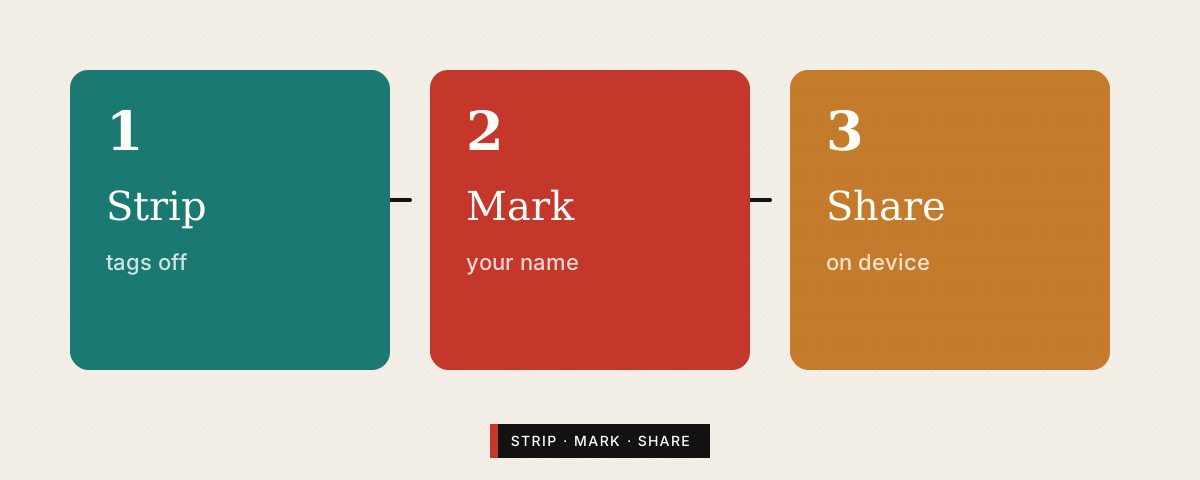
Most “free converters” ask you to upload the original. That is convenient — and it is also a trust decision. This page is a short operator workflow we use when publishing screenshots, travel photos, and product drafts on wordok.top: strip metadata locally → watermark if needed → share deliberately.
Step 1 — Strip (metadata)
GPS, device model, and timestamps ride along in many phone JPEGs. Before a public post or a ticket attachment, run EXIF Strip (Canvas re-encode). Spot-check a high-stakes file with any EXIF viewer afterward.
- Home / kids / workplace exteriors → strip GPS by default.
- Support screenshots → strip device tags; crop passwords and notification banners.
- Marketplace listings → also watch reflections (visible PII — Step 1b).
Step 1b — Crop visible secrets
Metadata tools do not blur faces, badges, whiteboards, or 2FA codes. Crop first; only then strip and watermark. See the fuller checklist in Photo privacy 2026.
Step 2 — Mark (drafts & contractors)
When a file is still a review draft, apply a tiled low-opacity mark with Watermark so leaks are attributable. Order matters: strip then watermark, so the marked deliverable does not still contain GPS.
- Use short project codes in the mark text (not personal emails).
- Export a clean (unmarked) master only when release is approved — keep it offline or access-controlled.
Step 3 — Share (channel match)
| Channel | Default hygiene |
|---|---|
| Public social / blog | Strip + crop; watermark optional |
| Contractor Dropbox / email | Strip + watermark; expire links |
| Bug tracker | Strip + crop secrets; avoid full-screen desktop |
| Café / hotel Wi-Fi upload | Prefer cellular for originals; see public Wi-Fi threat model |
Compare approaches (scorecard-lite)
For a fuller product comparison (local Canvas toolboxes vs upload suites), open Browser image tools 2026. Short version: if the file contains home interiors, IDs, or unreleased UI, prefer local processing.
Related on wordok.top
- EXIF Strip · Watermark · Tools hub
- Photo privacy checklist · Image tools scorecard
- How-tos: add a watermark, WebP guide
- Weekday original notes: AI Daily (written here; not a digest reprint)
FAQ
Why process images in the browser instead of uploading?
Upload converters receive your original pixels. Local Canvas tools keep bytes on-device unless you download the result yourself.
Does stripping EXIF remove faces?
No — metadata only. Crop or blur visible content separately.
When should I watermark?
Review drafts, unreleased shots, and contractor shares. Strip EXIF first, then mark.